MYDOC READY

Document conversion tools for resumes, forms, and application files

Transform DOC, PDF, Excel, and image files directly in your browser. Files are processed locally on your device, without requiring a server upload.

Free Online Document Converter for PDF, Word, Excel, PowerPoint & Images

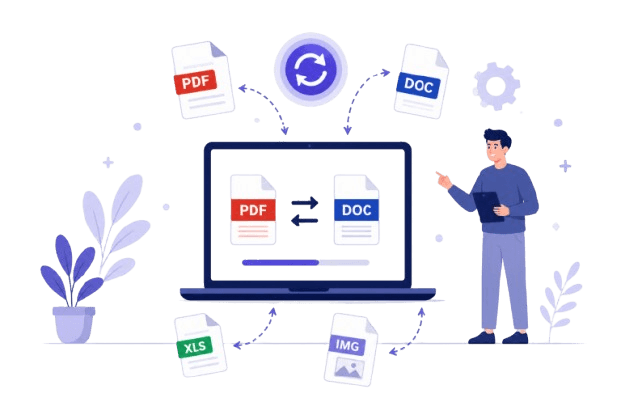
MyDocReady provides a complete collection of free online document conversion tools that help individuals, students, businesses, teachers, freelancers, accountants, and professionals convert files quickly without installing software. Whether you need to convert Word to PDF, PDF to Word, Excel to PDF, PDF to Excel, PowerPoint to PDF, PDF to PowerPoint, JPG to PDF, or PDF to JPG, our browser-based tools make the process simple, secure, and efficient.

One Platform for Every Document Conversion

Instead of visiting multiple websites for different file formats, MyDocReady brings every major document converter together in one easy-to-use platform. Our tools are designed with simplicity, speed, and privacy in mind. Upload your document, choose the desired conversion, and download the result within seconds.

Every converter is built to preserve document quality while making the output compatible with widely used applications such as Microsoft Office, Google Workspace, LibreOffice, Apple iWork, and Adobe Acrobat Reader.

PDF Conversion Tools

  • Word to PDF
  • Excel to PDF
  • PowerPoint to PDF
  • JPG to PDF
  • Merge images into PDF
  • Professional PDF generation

PDF Extraction Tools

  • PDF to Word
  • PDF to Excel
  • PDF to PowerPoint
  • PDF to JPG
  • Extract tables
  • Extract images

Why Professionals Choose MyDocReady

Privacy First

Files are processed directly in your browser whenever possible, reducing the need to upload sensitive documents to remote servers.

Fast Performance

Modern browser technologies allow conversions to complete quickly while maintaining document quality.

Professional Results

Converted files are designed to preserve formatting, readability, and compatibility across common office software.

Who Uses Our Document Converter?

Students
Teachers
Businesses
Accountants
Law Firms
Healthcare
Government Offices
Freelancers
Researchers
HR Teams
Marketing Agencies
Developers

Why PDF Remains the Most Trusted Document Format

PDF has become the global standard for sharing digital documents because it preserves fonts, layouts, images, and formatting across different devices and operating systems. Whether you're sending an invoice, submitting a resume, sharing a research paper, or archiving business records, PDF ensures recipients see the document exactly as intended.

Our document converters help bridge the gap between editable file formats like DOCX, XLSX, PPTX, and image files while maintaining high-quality output suitable for professional use.

Frequently Used File Formats

PDF
DOC
DOCX
XLS
XLSX
PPT
PPTX
CSV
JPG
JPEG
PNG
GIF
WEBP
BMP
TIFF
SVG

Start Converting Your Files Today

Whether you're converting documents for work, school, business, legal purposes, finance, presentations, reports, or personal projects, MyDocReady gives you one reliable place to convert files quickly and efficiently. With support for PDF, Microsoft Word, Excel, PowerPoint, and image formats, our growing collection of browser-based tools is designed to simplify document management while keeping the conversion process straightforward and easy to use.

Why Convert Your Documents?

Understanding the fundamental differences between editable document formats (like Word and Excel) and compiled formats (like PDF) is crucial for maintaining a professional digital workflow.

Preserve Formatting & Layouts

Have you ever emailed a perfectly aligned Microsoft Word resume to a recruiter, only for them to open it on a Mac and see broken fonts and scattered margins? This happens because `.docx` files rely on the host computer's installed fonts and software rendering engine.

Converting a file to PDF (Portable Document Format) essentially "bakes" the document. It embeds the fonts, locks the margins, and ensures that the document looks exactly the same whether it is opened on a Windows PC, an iPhone, or printed on physical paper.

The Privacy of Client-Side Processing

Traditional online file converters often require you to upload sensitive documents—such as tax forms, bank statements, or contracts—to a remote server. After upload, the file is processed on that server, which can introduce additional exposure.

MyDocReady uses WebAssembly (Wasm) technology to run conversion routines inside your browser. The service is designed so that files are processed locally on your device, and the platform does not retain stored copies on remote servers.

Fast local conversion

With no server uploads or queued processing, conversions can complete quickly on your device.

Free core tools

Use the main converters without premium paywalls or unexpected watermark restrictions on standard output.

High-fidelity output

Conversions are designed to preserve text clarity and image resolution while keeping file formatting consistent.

Frequently Asked Questions

Everything you need to know about our document conversion tools.

Is there a file size limit for conversions?

Because conversion happens locally on your device, the file size limit depends on your computer or mobile device's available RAM. Many modern devices can handle files above 100MB without issue, while smaller devices may have lower limits.

Will extracting a PDF to Word keep my tables and images intact?

Yes. Our PDF to Word and PDF to Excel converters utilize structural recognition. Instead of just dumping raw text, the algorithm attempts to map out bounding boxes to rebuild paragraphs, headers, and data tables as accurately as possible in the output .docx or .xlsx file.

Do I need to install any software to use these tools?

No. The entire MyDocReady suite is browser-based. Whether you are using Google Chrome, Safari, Firefox, or Edge, our WebAssembly modules run natively without requiring any plugins or desktop software installations.

Can I use this converter on my mobile phone?

Yes. The interface is designed to work on modern mobile browsers. You can convert a photo taken on an iPhone into a PDF or change a downloaded Word attachment into a PDF from your phone.